Onboarding Central
Click the image above to navigate back to OB Central (All states).

EMAILS & ACCESS


First Things First...

Communication: Head to your inbox and look for two emails we’ve sent you — they include your startup essentials: passwords, resources, and everything you need to hit the ground running.

Subject lines: "The Next Steps with Hydreight" & "Meet the Success Team" 


CHECKLISTS

 IN-APP ONBOARDING

When you log into the app you will see a number of onboarding steps for your Business that need to be completed.

*Please note the Onboarding checklist is only available within the Hydreight Wellness App. 

You must complete the steps in order for your business to go live in the Hydreight Wellness App.

Join our Onboarding Webinar for more information and guidance on Tuesdays & Thursdays. REGISTER HERE! to get started!


Tuesdays & Thursdays @ 12pm EST

E-LEARNING

CORE E-LEARNING 

This eLearning section provides the required training videos covering essential daily processes for running your business on the platform. 


CLICK ON EACH STEP TO COMPLETE THE TRAINING FOR EACH SECTION IN ORDER**

1
1. Foundations RECORDING

:rocket: Kickstart Your Success! Join our Business Success Team for a small-group Foundations Call — your roadmap to getting up and running fast. We’ll walk through how to use our key resources strategically so you can maximize your ramp-up and start strong!

1
1. Foundations

:rocket: Kickstart Your Success! Join our Business Success Team for a small-group Foundations Call — your roadmap to getting up and running fast. We’ll walk through how to use our key resources strategically so you can maximize your ramp-up and start strong!

2
2. Hydreight App Overview

Learn the app basics and set up your Business Admin account. 

  • Password: Rs2b^93R
3
3. BackOffice Setup

Create & Customize your Hydreight Business. 

  • Business Admin
4
4. Services

Add, edit, and manage the services you'll offer clients. 

development
5. Service Provider Account

Set pricing, review options, and see clear breakdowns -- all in one place. 

1
1. Standing Orders & Patient Specific Services

Menus & Ordering Guide walks you through how to review standing orders, understand your menus, and get started with patient-specific ordering. Learn how to navigate the portal, follow approved protocols, and access key FAQs to simplify your ordering process.

  • CA
2
2. Ordering & Shipping Delays

How to address any shipping delays, tracking information,  and expectations regarding shipping and products on the Hydreight Ordering Portal. 

  • CA
3
3. How to Place an Order

Learn how to place orders for vitamins, meds, and supplies through the Hydreight portal. Madison walks you through vendor selection, using the search tool, shipping tips, and handling tracking or damage issues.

  • CA
development
Patient Specific Service Setup Page

Set pricing, review test options, and see a clear price breakdown — all in one place. Six services, four to five simple steps each, cleanly organized on a single page

Ordering Portal FAQs

Check here first. 

development
Client Booking Flow

Shareable with clients. Visual Tutorial of the booking process and flow for clients

  • Client View
development
Standard Booking Flow
  • Standard Booking Flow
  • Medical Consultations
  • Client Tiles
  • Incident Report
  • CSP View
development
The Booking Session

From start to finish, we walk you through the entire process, covering essential topics such as scheduling, EMR utilization, in-session consultation, and more. 

  • CSP View
  • 1 hour
development
Booking Link & QR Code

Introducing DIRECT BOOKING — a simple feature that sends customers straight to your booking page for a seamless experience and stronger retention. Access your QR code, button, and URL in the Hydreight app, add them to your marketing, and let customers book with you instantly on any device.

  • BA & CSP
development
Tech FAQs
development
First Steps: Marketing

Sales & Marketing focused website full of ideas, resources, roadmaps to getting your business setup and out there! 

development
Foundations of Business Success

Webinar: Join Business Success Coaches and learn about essential resources for launching your business—sales & marketing fundamentals.

development
2-2-1 Rule
2-2-1 Rule PDF (Updated 9/2025 – California)
This document is for California compliance; It must be read thoroughly and followed closely to ensure proper compliance with the 2-2-1 rule. (Remember you are responsible for your state laws as they are subject to change.)


  • CA
  • Sep 25,2025
development
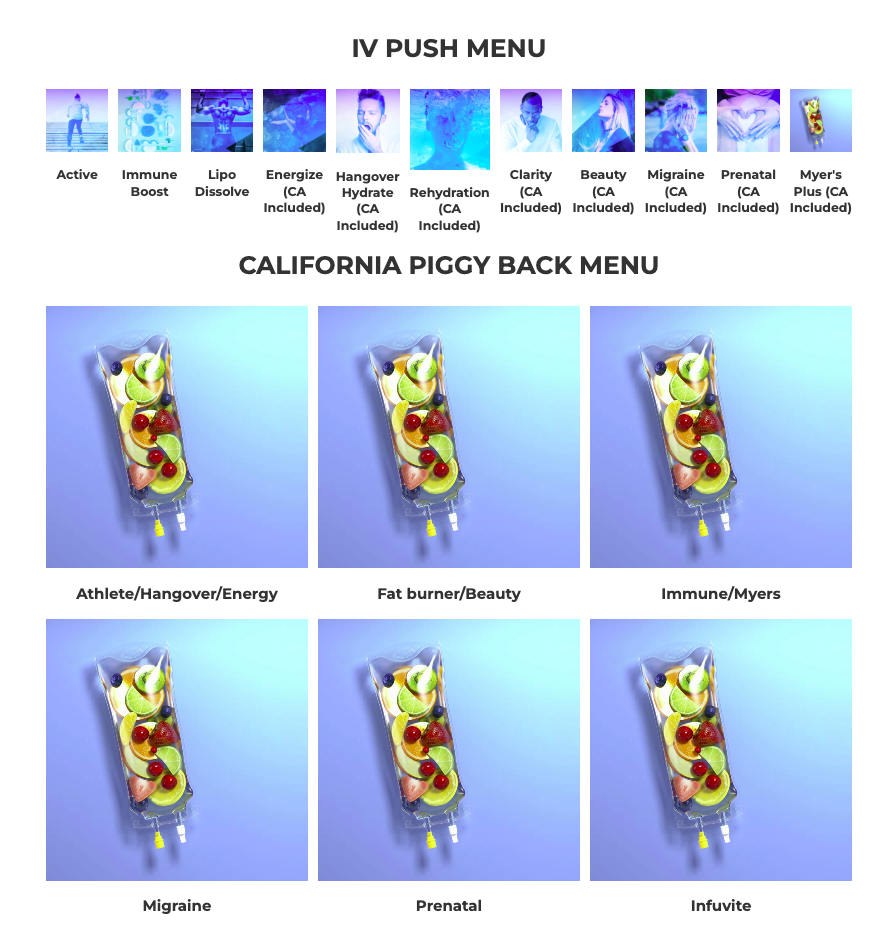
Piggyback Menu

California Menu Update 

  • CA
development
PUSH MENU

PUSH Menu Webinar 


BRANDING & MARKETING 


1X1 ACCOUNT REVIEW

YOUR FINAL CHECKPOINT

This call is the last step before going live. We’ll confirm you’ve completed all required training, answer any remaining questions, and ensure you’re fully prepared to launch. It’s not a walkthrough—its purpose is to make sure you’re ready and set up for success. After going live, team-led events and ticket support are available for ongoing guidance.


Wait! (1)

ENGAGE

ONGOING LIVE SUPPORT Q&As: Register and join often to stay up to date and in the know! 


Ordering in CA


Anazao Requirements (2)
ANAZAO REQUIREMENTS – CALIFORNIA ONLY
To order from Anazao (our vendor with the widest menu of options), shipments must go to a medical office that meets the criteria above.
 
Screenshot 2025-09-22 at 12.03.24 PM
Click the image above to open a tab to the standing orders in the Ordering Portal.

For CA we currently have the following medications and vitamins in stock from Medline and Fountain.

They are featured in the add-ons menu, the push menu, and the piggyback menu. We have provided the form to fill out for Anazao if you meet the criteria to broaden your access to additional vitamins in the ordering portal and the CA ordering videos as well. 

If you do not qualify for Anazao please use the Piggy Back menu.  Patient specific and Aesthetics are also available in CA. The updates page linked below has all the CA patient specific pricing, protocol, quiz, and webinars. (Infuvite will come back in stock).

The page linked below has all the Patient Specific pricing, protocol, quiz, and webinars. ** CA - Carnitine & NR are NOT available in your state** 

Screenshot 2025-09-29 at 2.54.07 PM

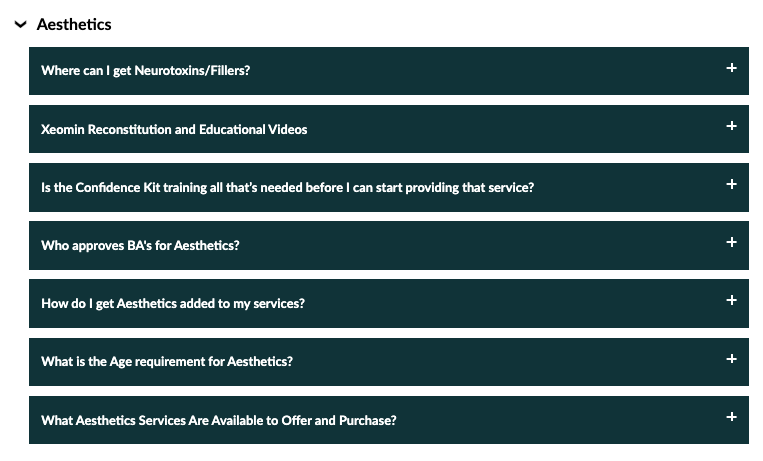
For Aesthetics please review the Aesthetics tab in the FAQ:

Screenshot 2025-09-29 at 10.07.39 AM
Ongoing Education & Support

Essential Resources 

2-Jul-15-2025-03-50-19-9737-PM
3-Jul-15-2025-03-50-32-8749-PM